

by Dylan Fisher
February 27, 2024
Read Time: Less than 8 Mins
Last Modified: June 8, 2026
Share Article
When you hear the word “tools,” certain images probably come to mind: a hammer, a drill – maybe even a box of screws. But do you also think of your software?
As all contractors know, construction is a fast-paced industry where having the right tools can spell the difference between success and failure. You can’t wire a building without wire strippers, and a tape measure cannot be easily replaced by a ruler. Your construction estimating software is no different. You can’t expect to estimate efficiently if you’re using estimating software that hasn’t been optimized for contractors.
With such a myriad of estimating and takeoff software options available, the pressure to choose the best solution can be overwhelming. To help you navigate through the landscape of options, we’ve compiled five key factors to consider when buying estimating software.
Key Takeaways:
- Reliable Tech Support: Choose software with responsive support via phone, chat, email, and online resources available during work hours.
- Available Training Sessions: Look for ongoing training from basic tutorials to advanced modules, with materials for users of all levels.
- All-In-One Solution: Invest in software that integrates both takeoff and estimating into one platform to streamline workflow and minimize errors.
- Frequent Updates: Select software regularly updated to meet industry standards, address bugs, and enhance user experience.
- Easy-to-Use Interface: Prioritize intuitive software with easy navigation and customization options to minimize learning curve for estimators.
One: Reliable Tech Support
Between troubleshooting issues, resolving bugs and providing guidance on software functionalities, responsive and knowledgeable technical support is truly an irreplaceable element when selecting software. Contractors should look for solutions that offer a number of different and responsive support channels, including:
- Phone support
- Live chat
- Online resources
These support channels should have quick response times, experience troubleshooting construction-specific challenges and be available during working hours.
Two: Training and Educational Sessions
To use software to its full capability, a contractor must have a comprehensive understanding of the system. To ensure this, contractors should look for software providers that offer ongoing training and education sessions. These educational opportunities will help users maximize the software’s potential.
From basic tutorials to advanced training modules, educational resources can empower a crew to use the software with confidence, leading to improved productivity and accuracy when completing an estimate and takeoff.
You might look for a company that provides on-site and remote training, with options for beginners, as well as deep dives for more seasoned estimating professionals.
Training courses should be taught by well-established members of the software company’s staff, and attendees should be offered educational materials they can keep, like workbooks, for additional practice.
Contractors should also consider whether the software provider offers ongoing training opportunities to keep users updated when new features are released. After all, what good is a new feature if you don’t know how to use it?
Three: All-In-One Takeoff and Estimating
Instead of using separate software for takeoff and estimating, contractors should seek out and invest in a comprehensive solution that consolidates all aspects of the bidding process. This can enable seamless data transfers between takeoff and estimating modules, eliminating double entry, minimizing errors and saving time.
Well-executed integrations also keep contractors from needing to purchase additional software, and often allow them to design-build in the same drawing.
Contractors should also look for features like:
- Trade-specific databases
- Built-in change order tracking
- Unlimited supplier price reports.
These elements will help to further ensure accuracy by tailoring the software to your specific project requirements.
Four: Frequently Updated
When a company is committed to software enhancement it will consistently update its product to meet ever-evolving industry standards. These upgrades help contractors remain competitive within their trades, without any additional work being added to the estimating process.
But regular updates do more than keep you on the technological forefront: they also address any software bugs or performance issues that may arise during the software’s use. Some common updates could include new features, expanded databases, integrated toggles to calculate using new or existing industry standards, integrations and additional options for items and assemblies.
Be sure to select software made by a company that actively seeks out and considers user feedback. When a company acts upon consumer feedback, the overall user experience is typically more enjoyable, sustainable, and efficient. It can also help ensure that the software remains relevant and competitive in the marketplace.
Five: Easy to Use
Contractors should look to invest in takeoff and estimating software that prioritizes and maintains an intuitive design. This makes it easier for a team to implement the software and learn the layout quickly.
Contractors might prioritize a system with simplified calculations and the ability to effortlessly add, save and store new items and assemblies. All-in-one software that makes it possible to translate the estimate into the bid and integrate the takeoff into the estimate can save time and eliminate time-consuming steps in the estimating process.
These elements will help to minimize the learning process for any new estimators.
Consider McCormick for Your Estimating Software Solution
With so many options available, choosing the right construction estimating software can be difficult. The solution you ultimately chose can have an impact on not only your project outcomes but also on your bottom line.
By prioritizing elements like reliable tech support, comprehensive training, integration capabilities, regular updates, and ease of use, you can give yourself the best shot of success with your new system.
Remember to thoroughly evaluate your options, seek out product demos and solicit feedback or case studies on current users before making a final decision. With the right estimating software in place, you can optimize efficiency, accuracy, and profitability across your projects.
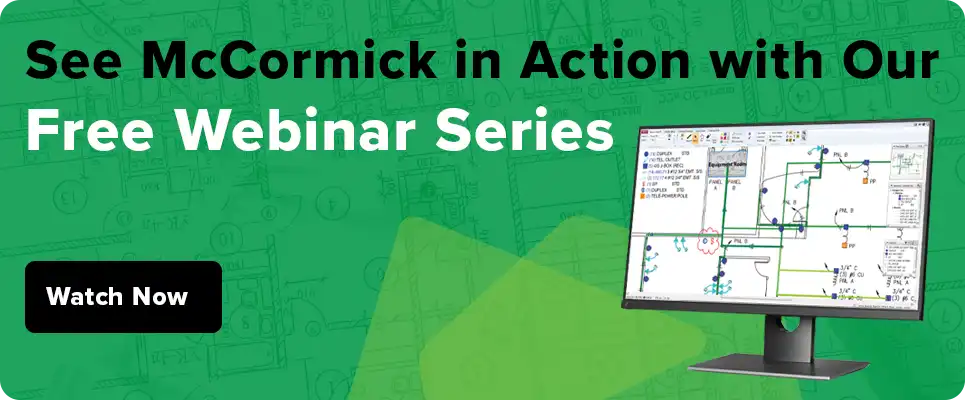
McCormick is a single platform estimating and digital takeoff solution with all of these features and more. In addition to being an all-in-one solution, McCormick prides itself on offering industry-leading customer service and unlimited tech support, so users can optimize their system and win more profitable jobs.
Want to learn if McCormick is a good fit for your business? Check us out online and schedule a demo today.
Frequently Asked Questions About Buying Construction Estimating Software
What’s the Difference Between Takeoff Software and Estimating Software — and Do I Need Both?
Takeoff software measures quantities from your plans. Estimating software turns those quantities into a complete bid. Some platforms combine both into one workflow; others are takeoff-only and require a separate system to apply labor and material costs.
For most MEP contractors, a platform that handles both in a single environment is the effective choice. Switching between tools mid-bid adds steps, creates opportunities for data entry errors and makes it harder to keep your numbers consistent from job to job.
McCormick handles takeoff and estimating within the same system — so the quantities you count flow directly into your cost calculations without any re-entry or file exports.
How Long Before Estimating Software Actually Saves Me Time — Not Just During the Learning Curve?
Most contractors see a meaningful reduction in bid time within a few weeks, though the exact timeline depends on factors like:
- Job complexity
- How much of the database needs to be customized for your trade
- How actively you use the training your vendor provides
The ramp-up period is real, but it’s also where the long-term return is built.
Contractors who invest in learning the system fully — building templates, setting up assemblies, configuring labor units — come out of that period estimating faster and with less rework than they had before.
The vendors who shorten that curve meaningfully are the ones with structured onboarding and fast access to support when you get stuck mid-bid, not just a library of tutorial videos.
Can I Get My Data Out if I Decide to Switch Software Later?
Before signing, ask specifically whether your custom items, assemblies and historical bids can be exported in a usable format like CSV or Excel. Some platforms store everything in proprietary file structures that don’t transfer cleanly to another system.
Getting a clear answer upfront protects your business if the software doesn’t work out or the vendor changes ownership down the road.
What Should I Ask About Pricing — Beyond the Sticker Price?
The listed license fee is rarely the full picture. Before comparing platforms on cost, ask each vendor about:
- Annual renewal fees
- Per-seat pricing if you add estimators later
- Charges for database updates
- Training costs beyond the initial onboarding
- Whether integrations with your accounting software require a separate subscription
For contractors coming from spreadsheets, the total cost of ownership often looks different than expected in year two and beyond — especially if database updates or additional users are priced separately.
Make Your Inbox Smarter
Keep on current news in the construction industry. Subscribe to free eNews!

October 1, 2026
How to Use Construction Estimating to Vet Projects Before You Bid
Picture this: A mid-size industrial job lands on your desk. The plans….
Read More

September 17, 2026
Design-Build vs. Design-Bid-Build: Why Your Estimating Software Choice Matters
Design-build is changing how electrical, plumbing and mechanical (MEP) contractors have to….
Read More